Showing posts with label web. Show all posts

Saturday, January 25, 2014

What is Scalability

What is Scalability 

Ability of a system, network or a process to handle growing amount of work in a capable manner. Scalability is important to make sure heavy loads that comes to the servers are handled without minimum or no downtime. 

Types of scalability


Horizontal scaling (Scale out)

Vertical scaling (Scale up)

Add resources to a single node of a system.


Guidelines for Scalability in Application Design (checklist)

Partitioning of the workload can be useful especially for database access. Load on the database will be manageable results with less complexity. Separation of concern a coding principle can be used to achieve this. Microservices also comes in handy for partioning of workload


Database Scalability 

http://www.boic.com/scalability.htm
http://msdn.microsoft.com/en-us/library/aa479364.aspx (Scaling out SQL server)

Server Scalability

There are different ways you can setup your servers to achieve high scalability. highscalability explains 10 different ways you can setup your server environment.

Resources

http://www.boic.com/scalability.htm
http://stackoverflow.com/questions/tagged/scalability
http://stackoverflow.com/questions/659970/why-is-it-not-advisable-to-have-the-database-and-web-server-on-the-same-machine

Model Binding in ASP.NET MVC

ASP.NET MVC Model Binding simplifies controller actions by automatically populating controller action parameters, taking care of property mapping and type conversion. 

Model binding consists of collecting values from the request and populating models with those values. These steps are accomplished by value providers and model binders. 


Value Providers

ASP.NET MVC includes value provider implementations that covers most common sources of request values such as Query String parameters, form fields and route data. You can even create your own custom value providers.

Value providers are registered in ValueProviderFactory. Following are some inherited value providers from ValueProviderFactory,
  • CookieValueProviderFactory
  • SessionValueProviderFactory
  • FormValueProviderFactory
  • JQueryFormValueProviderFactory
  • QueryStringValueProviderFactory


JSON Value Provider #
Enables MVC actions to send/receive JSON data and model bind JSON text to parameters of action method. This runs before model binding. JSON value provider serializes request data into a dictionary. Then this data is passed to the model binder.


Model Binders

ASP.NET MVC has default model binder DefaultModelBinder which maps browser request to a data object. It will go through each property in the target model and will check if it is a simple or a complex type. If it is a simple type, It'll try to convert it to a target type. If it is a complex type it will perform a recursive binding.


Resources

http://msdn.microsoft.com/en-us/magazine/hh781022.aspx
http://haacked.com/archive/2011/06/30/whatrsquos-the-difference-between-a-value-provider-and-model-binder.aspx/
http://www.codeproject.com/Tips/806415/Model-Binding-using-IModelBinder-and-DefaultModelB
http://stackoverflow.com/questions/8535802/when-to-use-imodelbinder-versus-defaultmodelbinder
http://chimera.labs.oreilly.com/books/1234000001708/ch13.html#_the_importance_of_models_in_asp_net_web_api

Wednesday, January 8, 2014

Wednesday, January 1, 2014

Data Compression

Data compression is the process of reducing size of a data file. Compression can be either lossy or lossless. In lossless the bits are reduced by identifying and eliminating statistical redundancy. Lossy compression removes unnecessary information. 

HTTP compression (wiki)
HTTP data is compressed before it is sent from the server: compliant browsers will announce what methods are supported to the server before downloading the correct format. The most common compression schemes include gzip and Deflate

GZip vs Deflate
GZip is simply deflate with checksum and header/footer. Deflate is faster. SO - Why use deflate instead of gzip for text files served by Apache?. 

Resources
Data compression - wikipedia
http://www.fastly.com/blog/best-practices-for-using-the-vary-header/


HTTP Headers

HTTP headers are a core part of HTTP requests and responses. With every request and response HTTP headers goes back and forth. You can open the browser console or use a tool like firebug to see these information. 

HTTP headers are name-value pairs. Cookie data will also get transferred with HTTP headers. Most of the headers are optional. 

GET is the main method used to retrieve HTML, JavaScript, images from the server. POST is used to send data to the server. HEAD is used to retrieve header information. 

For every request, server will return HTTP protocol been used and the status code. Each status code is a number with a special meaning.

  • 200's are used for successful requests.
  • 300's are for redirections.
  • 400's are used if there was a problem with the request.
  • 500's are used if there was a problem with the server.

Common Headers in HTTP Requests

User Agent : Browser name/version, OS and version, Default language

Accept encoding : Most modern browsers support gzip. The web server can then send HTML output in compressed format which will reduce the response size.

If-Modified-since : if the document is already cached and if you visit again browser can check if it has modified

Cookie : Sends cookies stored in the browser for that domain

Referrer : Referring URL

Host : domain name with sub domain

Accept Language : Default language setting of the user.

Authorization : When a web page asks for authorization, the browser opens a login window. When you send username and password, the browser sends another HTTP request with a header with username and password. The header information are base64 encoded.  
see here, 

Common Headers in HTTP Responses

Cache-control
Specify things that should be obeyed by all caching mechanisms. 
  • public : response maybe cached by anyone
  • max-age : how many seconds the cache is valid for
  • to prevent caching you can use no-cache directive. 
Google Developers - HTTP Caching - Cache Control
Mobify.com - Beginners guide to http cache headers

Content type
indicates mime-type of the document. 
MIME types

Content length

Pragma
http://stackoverflow.com/questions/10314174/difference-between-pragma-and-cache-control-headers
http://stackoverflow.com/questions/1920781/what-does-the-http-header-pragma-public-mean

Etag
Used with caching, Server may send this with every document it serves, This value is used to determine whether to the content is new or not.

Last modified

Set cookie
When the website wants to set or update the cookie in the browser it'll use this.

If you're sending multiple cookies, they are combined and sent as comma-separated values. But this is treated in different ways in different browsers.

References
http://code.tutsplus.com/tutorials/http-headers-for-dummies--net-8039

Cookies

Cookie is a small bit of text transferred between client and server. It contains information needed for the web applications. 
  • Most browsers support cookies of up to 4096 bytes. Most browsers allow only 20 cookies per site. Some browsers also put an absolute limit, usually 300. 
  • A cookie limitation that you might encounter is that users can set their browser to refuse cookies. Although cookies can be very useful in your application, the application should not depend on being able to store cookies. The browser is responsible for managing cookies on a user system. 
  • Cookies are sent to the browser via the HttpResponse object that exposes a collection called Cookies. You can also set a cookie's date and time expiration. Expired cookies are deleted by the browser. If you do not set the cookie's expiration, the cookie is created but it is not stored on the user's hard disk. Instead, the cookie is maintained as part of the user's session information. 
  • When the user closes the browser, the cookie is discarded. A non-persistent cookie like this is useful for information that needs to be stored for only a short time or that for security reasons should not be written to disk on the client computer. 
  • Cookies derives from a specialized collection of type NameObjectCollectionBase. You can also store multiple name-value pairs in a single cookie. referred to as subkeys. all cookies are sent to the server with any request to that site.
  • You can set the scope of cookies in two ways: 
    • Limit the scope of cookies to a folder on the server
    • Set scope to a domain
  • By default, cookies are associated with a specific domain
  • If the cookie does not exist, you will get a NullReferenceException exception if try to read it.
  • Notice also that the HtmlEncode method was called to encode the contents of a cookie before displaying it in the page. 
Deleting Cookies
You cannot directly remove a cookie because the cookie is on the user's computer. The technique is to create a new cookie with the same name as the cookie to be deleted, but to set the cookie's expiration to a date earlier than today.

//Setting a cookie
            HttpCookie cookie = new HttpCookie("cookie1", "cookieValue");
            cookie.Expires = DateTime.Now.AddSeconds(30);
            Response.AppendCookie(cookie);

//Reading cookies
            var cookie = Request.Cookies;
            string[] cookies = Request.Cookies.AllKeys;

            foreach (string cookie in cookies)
            {
                Response.Cookies[cookie].Expires = DateTime.Now.AddDays(-1);
            }

Security
You should never store sensitive data in a cookie. SSL does not protect the cookie from being read or manipulated while it is on the user's computer, but it does prevent the cookie from being read while in transit because the cookie is encrypted.

By default, ASP.NET uses a non-persistent cookie to store the session state. However, if a user has disabled cookies on the browser, session state information cannot be stored in a cookie.

ASP.NET offers an alternative in the form of cookieless sessions. You can configure your application to store session IDs not in a cookie, but in the URLs of pages in your site. If your application relies on session state, you might consider configuring it to use cookieless sessions. However, under some limited circumstances, if the user shares the URL with someone else—perhaps to send the URL to a colleague while the user's session is still active—then both users can end up sharing the same session, with unpredictable results.


HttpCookieMode
Specifies how cookies are used in the web application. It is used to specify cookieless attribute in sessionState configuration section. 
Link1 and MSDN 

Resources

Saturday, October 12, 2013

HTML5 WebSockets

WebSockets is the next generation bi-directional communication technology for web applications. This operates over a single socket and is exposed via a JavaScript interface. 


var Socket = new WebSocket(url, [protocal] );


The socket starts out as a HTTP request and updates to TCP socket after a HTTP handshake. After that either can receive data. 


Is a real time messaging system build using WebSockets. This is implemented using Node.js. 


Check this getting started guide. 

Saturday, November 3, 2012

Introduction to IIS

IIS is a web server software developed by Microsoft. IIS provides a request processing architecture. IIS includes,
  • A customizable web server engine by adding or removing modules
  • Windows Process Activation Service (WAS) which enables sites to use protocols other than HTTP and HTTPS
  • Integrated request processing pipelines from IIS and ASP.NET

Components in IIS

Performs important functions in IIS. Some components of IIS are protocol listeners (HTTP.sys) and services such as World Wide Web publishing service (WWW Service) Windows Process Activation Service (WAS).

Protocol listeners
These receive protocol specific requests, send them to IIS for processing and returns responses. One example is HTTP.sys HTTP listener which listens to both HTTP and HTTPS. You can also use protocol listeners for WCF etc.

Windows Process Activation Service (WAS)

By default IIS only supports HTTP protocol. You can use WAS component to enable other protocols. Also see http://www.iis.net/learn/manage/provisioning-and-managing-iis/features-of-the-windows-process-activation-service-was

Following video will show you how to host WCF services in IIS.

Pipelines

In IIS 7 there are 2 request processing pipelines. Classic and Integrated pipeline. Classic was the only existed in IIS 6 and below. With Integrated pipeline it is tightly integrated as ASP.NET request pipeline. (SO)

Managed code modules that implements IHttpModule has access to all events in request pipeline. In IIS6 and IIS7 classic mode, ASP.NET request pipeline was separate from Web server pipeline. But in IIS 7, it is a unified pipeline which handles the requests. 

In ASP.NET application life cycle, firstly 

  • The ApplicationManager and HostingEnvironment objects gets created
  • Application objects such as HttpContext, HttpRequest gets created
  • HttpApplication object is created (if one doesn't exist to use) and assigned to the request


Automatic Deployment using Microsoft Web Deploy
http://weblogs.asp.net/scottgu/automating-deployment-with-microsoft-web-deploy

Resources


Sunday, May 20, 2012

Federated Identity

Single Sign On (SSO) allows users to access multiple services with a single login. 

Federated Identity refers to where the user stores their credentials. Also Federated Identity can be viewed as a way to connect identity management systems together. 

Claim based Authentication
Claim based authentication for dummies (SO)
Claim based architectures
Claim based identity model 


Resources
http://security.stackexchange.com/questions/13803/what-is-single-sign-on-versus-federated-login
http://en.wikipedia.org/wiki/Federated_identity
http://en.wikipedia.org/wiki/Claims-based_identity

Saturday, January 7, 2012

What you need to know about REST

If you're in software industry you surely have heard about REST. You might not know what it actually even means but you might know its about designing an API to consume network calls.

Representational state transfer protocol (REST) is an architectural style for designing networked application using simple* HTML protocols. REST relies on stateless, client-server architecture. You can think of it as a light weight web service. It is platform and language independent protocol.

Difference between SOAP and REST


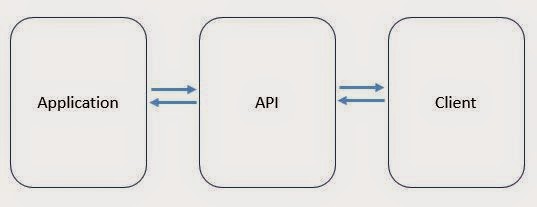
Designing REST API

APIs exposes functionality of an application or a service.


* : I used simple with comparison to CORBA, RPC and SOAP which are bit complex to implement nowadays.

COAP (COnstrained Application Protocol)
Protocol intended to use in simple electronic devices that allow them to communicate over the internet. It's an application layer protocol. It uses UDP protocol (Check difference between TCP and UDP)
http://www.slideshare.net/jvermillard/co-ap

Sources

Designing REST APIs
The Increasing importance of APIs in web development 
Web API growing trends 
http://stackoverflow.com/questions/7551/best-practices-for-securing-a-rest-api-web-service


last updated October 2014

Tuesday, February 2, 2010

Web Services with ASP.NET

Web services provide infrastructure to create distributed computing applications. Simply web services resides in a web server and enables clients to invoke its methods. In .NET, clients can communicate with web services using proxies. Usually HTTP handlers are used to implement web services.
Source : developer.mulesoft.com
You can generate the proxy class using WSDL.exe if you have the web service description which conforms to WSDL. When you use this tool a single proxy class is generated. 

See creating an XML web service proxy (MSDN)
How to generate web service out of WSDL (SO)

WSDL (Web Service Definition Language)
Describes the web service

SOAP
It is a programmable application logic accessible via standard Web protocols. SOAP (Simple Object Access Protocol) is one example. SOAP uses XML for data description and HTTP for transport. 

SOAP message consists of,
  • SOAP envelop
  • SOAP headers
  • SOAP body
RESTful Web Services
RESTful web services does not contain any contract or WSDL file. It is simple to implement and supports different data formats (JSON, XML etc.)

Serialization in Web Services
Web Services use XMLSerialization for serializing response. 
https://msdn.microsoft.com/en-us/library/564k8ys4(v=vs.110).aspx

Resources
Powered by Blogger.


Software Architect at Surge Global/ Certified Scrum Master

Experienced in Product Design, Software Engineering, Team management and Practicing Agile methodologies.

Search This Blog

Facebook